
AI tool
Vizard AI
AI-powered video repurposing platform that transforms long-form videos into short, engaging clips optimized for social media, marketing, podcasts, webinars, and business content.
Overview
Vizard AI is an AI-powered video editing and repurposing platform that helps businesses, marketers, podcasters, educators, consultants, and content creators transform long-form videos into short, engaging clips in minutes. Using AI, it automatically identifies key moments, generates captions, reframes videos for different social platforms, adds B-roll, subtitles, emojis, and branding, and prepares content for publishing across YouTube, LinkedIn, TikTok, Instagram, and other channels. Vizard also includes AI transcription, text-based editing, video translation, collaborative workspaces, and direct social media publishing, making it a complete AI-powered video content workflow for businesses.
💡 Tip:
Instead of creating new videos for every platform, upload one webinar, podcast, or product demo to Vizard AI and let the platform generate multiple short clips with captions and optimized aspect ratios. This helps maximize the value of every recording while maintaining a consistent publishing schedule.
Practical fit
Useful for
Product Demo Videos Customer Onboarding Employee Training SOP Documentation Knowledge Base Creation Product Documentation Sales Enablement Customer Success Internal Training AI Video Creation
Best fit
SaaS Companies Small Businesses Medium Businesses Product Teams Customer Success Teams Sales Teams HR Teams Learning & Development Teams Professional Service Firms
Avoid if
You only need basic screen recording or simple video editing without AI-powered documentation, voiceovers, translations, or knowledge base creation.
Pricing and setup
Starting price
From $14.5/mo
Last verified
5 Aug 2026
Pricing note
Vizard AI offers a free plan with 60 AI processing credits per month. Paid plans are credit-based and unlock higher AI processing limits, 4K exports, watermark removal, AI B-roll, brand kits, collaboration features, social media scheduling, and priority support. Annual billing offers approximately 50% savings compared to monthly pricing.
Resources & proof
Video 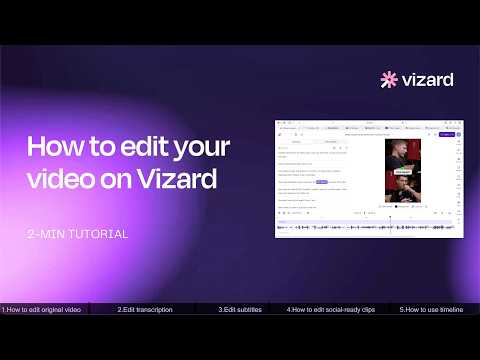
Vizard Editor Tutorial — Edit Videos Fast and Easily Inside Vizard
In this video, we walk through how to use Vizard’s built-in Editor to quickly and efficiently edit both original videos and AI-generated clips without leaving the platform.
Need help making this tool work in your business?
Think Big Digital can help clients implement Vizard AI by setting up branded video templates, AI clipping workflows, subtitle styles, social media publishing workflows, and content repurposing strategies. We also help businesses transform webinars, podcasts, product demos, training sessions, and customer interviews into high-performing short-form videos for LinkedIn, YouTube Shorts, Instagram Reels, TikTok, and other digital marketing channels.
Related tools
More tools in similar categories.

AI-powered visual content platform that creates consistent images, videos, designs, and branded content using your own AI identity.
Content and Social MediaDesign, Image, and VideoPaid · Low setup
AI-powered video repurposing platform that automatically transforms long-form videos into engaging short clips with captions, smart reframing, branding, and social media scheduling.
Content and Social MediaDesign, Image, and VideoFreemium · Low setup
AI-powered video testimonial and customer engagement platform that helps businesses collect, manage, and showcase authentic video testimonials, reviews, feedback, and asynchronous conversations to build trust and increase conversions.
Content and Social MediaDesign, Image, and VideoFreemium · Low setup